Book a Private Lesson
Private Lessons for Current Students
Private lessons are available exclusively to current students.
You may book one or multiple private lessons in a single booking session.
Before selecting your dates, please take a moment to review the short guide below. It will help ensure your booking and payment are completed correctly.
How to Book Multiple Private Lessons
If you are booking more than one lesson, please ensure all lesson dates and times are selected before clicking “Next” in the booking calendar.
Select Your Lesson Dates and Times
Important Information
- You can book up to 5 private lessons in one booking session.
- Lessons can be booked up to 90 days in advance
- The payment amount is based on the number of lessons selected during booking
- Private lessons have a no-cancellation policy
Payment & Confirmation Note
After clicking Book Now, you will be taken to a secure payment page to complete your booking. Once payment is confirmed, your selected lesson dates and times are locked in.
Support / DojoDesk
If you are unsure at any point or experience any issues with your booking, please contact us before completing payment.
Multiple Lesson Bookings
Follow the steps below to book up to 5 private lessons in one booking session.
- You can book up to 5 lessons in one booking session.
- Lessons can be booked up to 90 days in advance.
- Your payment total is based on the number of lessons selected.
- If you need help at any point, please contact us before completing payment.
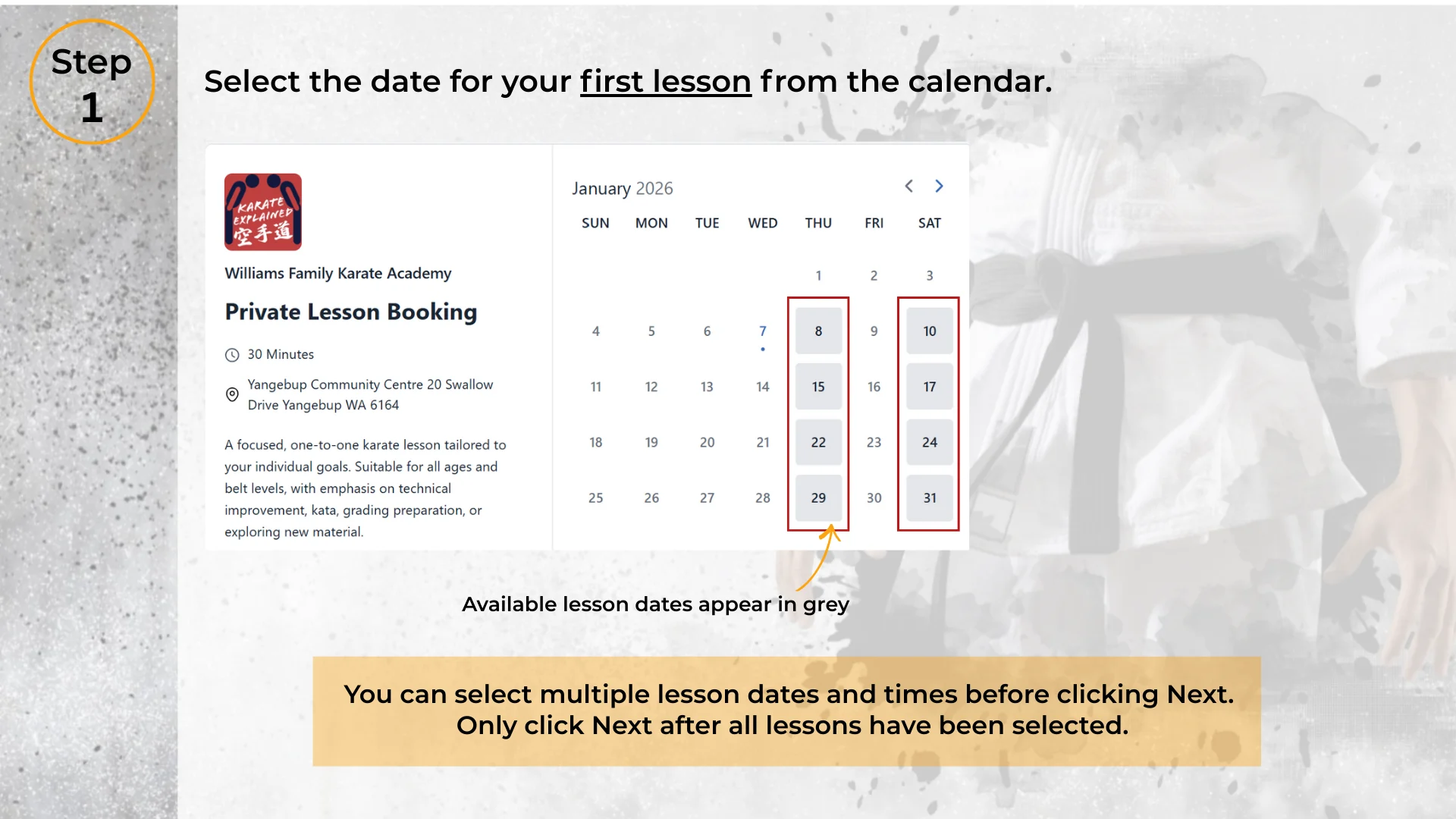
Select your first lesson date
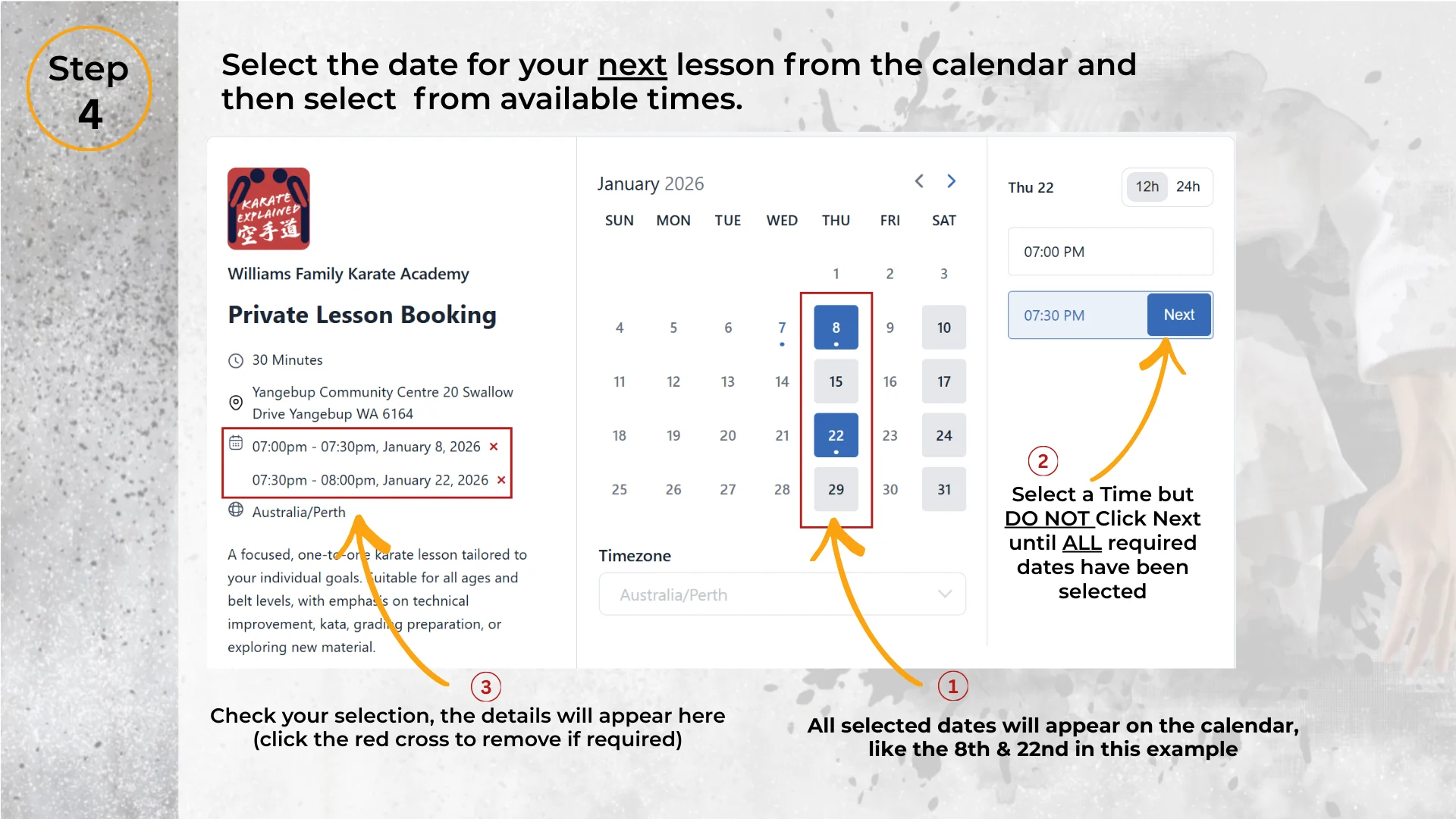
Choose an available date from the calendar. Available lesson dates will appear highlighted/active.
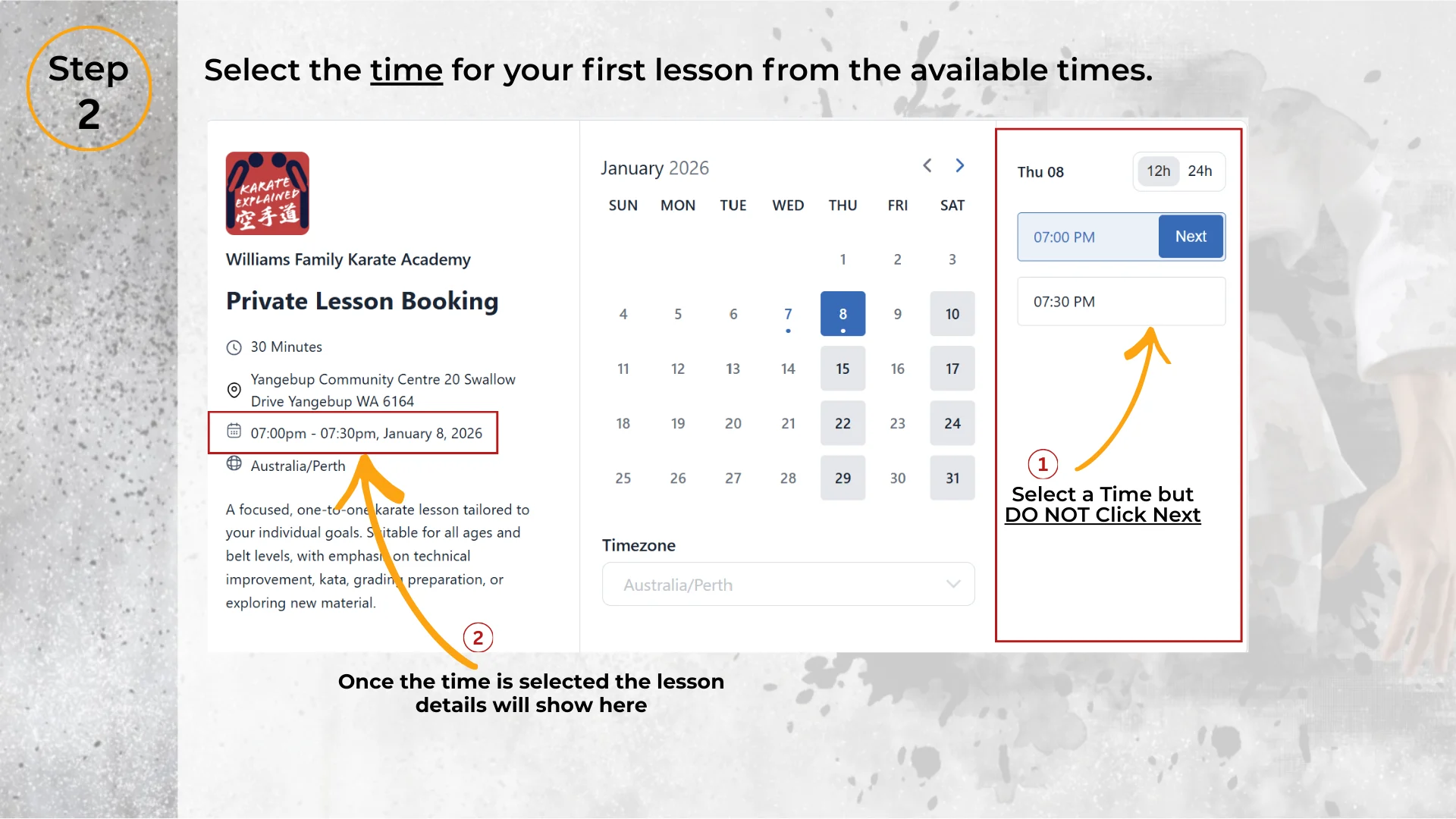
Choose an available time
Select a suitable time for the lesson date you chose.
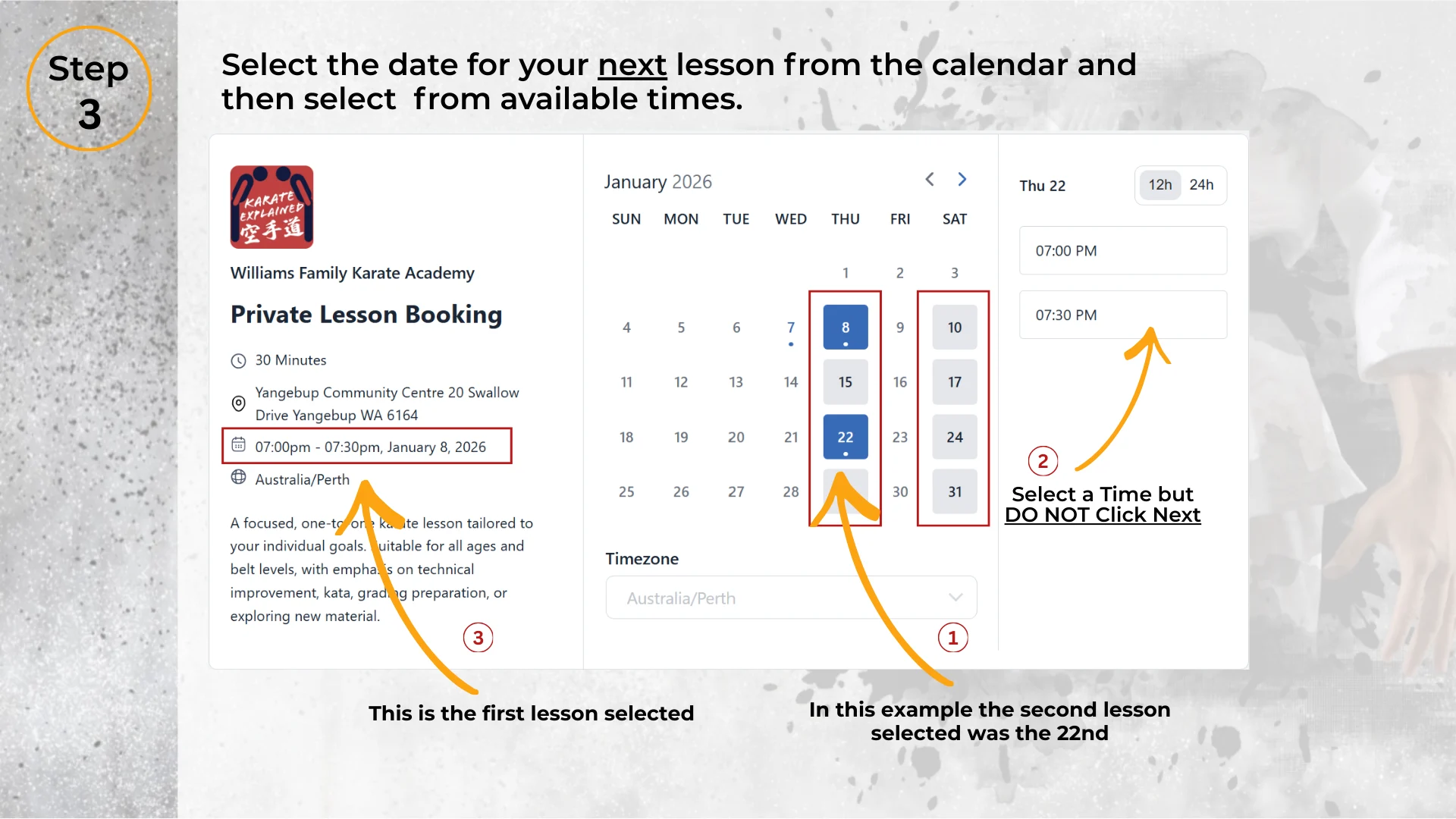
Add additional lessons
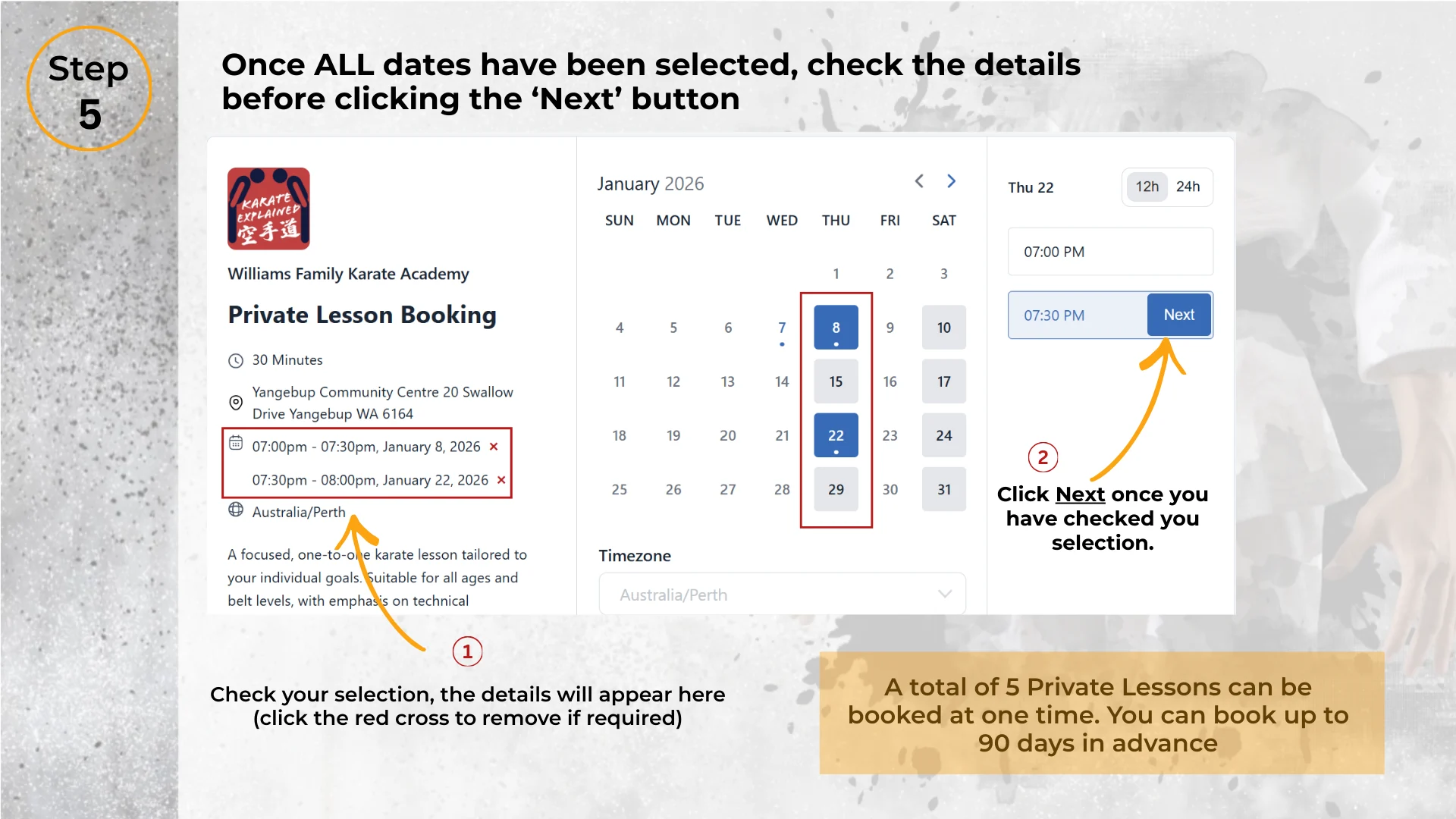
Add another lesson by selecting another date and time. Repeat until you’ve selected all lessons you want to book.
Review your selected lessons
Confirm the lesson dates and times listed on the left side. If needed, remove a time using the “x”, then select another.
Enter your details
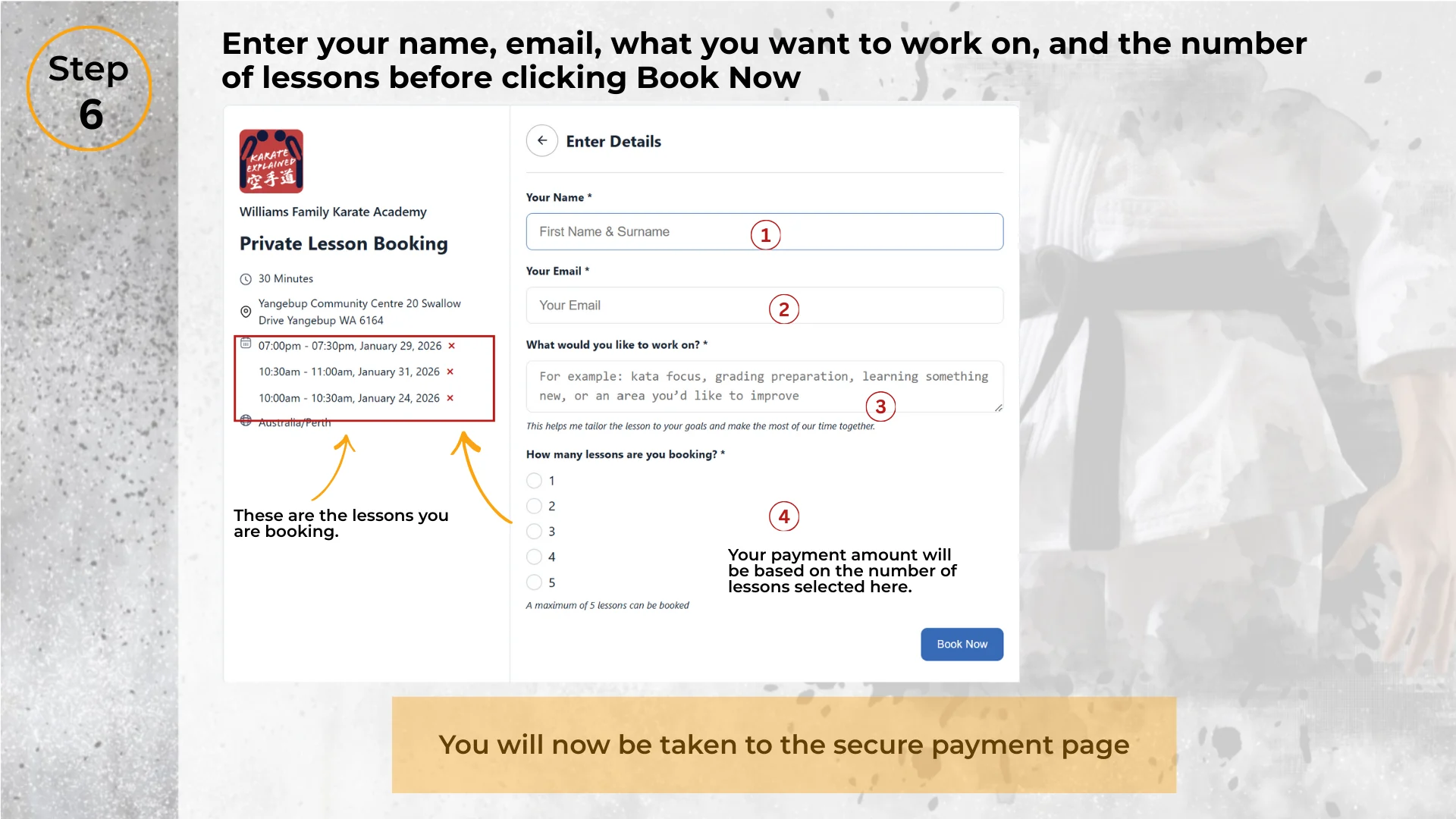
Enter your name, email, and what you’d like to work on in your private lesson.
Confirm lessons and proceed to payment
Select the number of lessons you have chosen in the calendar, then click Book Now.
You will be redirected to our secure payment page, where the total cost will be calculated based on the number of lessons selected.
Prefer a printable copy? Download the guide (PDF)